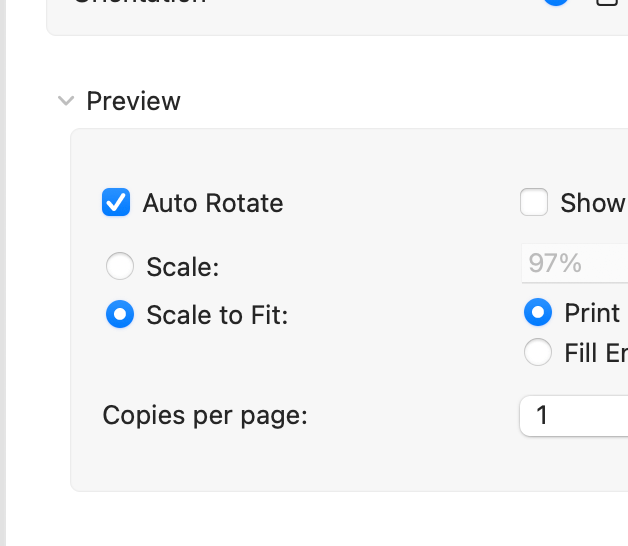
The question that I answer the most often on the Follett Destiny Users for Librarians Facebook Group is how to make labels fit onto their label stock. This questions comes up almost weekly. I have this and many other replies stored on my phone for quick sharing. (Some people resort to just printing on paper and cutting out the labels. My perfectionism on labels just couldn’t do that!)
This is the trick:
Download the pdf. Open in your pdf reader (Preview or Adobe) instead of the browser. Try print with the Scale at 100%. If that doesn’t work, try Scale to Fit. One of those should work. Once you find the magic formula, repeat. But always download the pdf.
My spine labels use Demco 5 x11 label stock. Printer offset Horizontal 25. Vertical 20.
A bonus tip: If you have a hard time checking to see if the labels fit: a Dollar Tree or Five Below tracing light box makes checking those label lines so much easier than holding up to a light. And they are a great MakerSpace tool. Here’s an example of a light box I own: https://www.fivebelow.com/products/tracing-light-box-825in-x-984in?variant=9080566&sr=1
 Reflecting Forward with Jen Legatt
Leave a comment